Move a range edge
01Move the start 90 ticks earlier, then restore the range.
 Unicorn
ULTRA NUDGE / FOR DIGITAL PERFORMER
Ultra Nudge edits ranges, notes, Clips and soundbites inside DP. Use the panel or enter short keyboard commands.
Try the keyboard demo Mac edition · $20 by invoice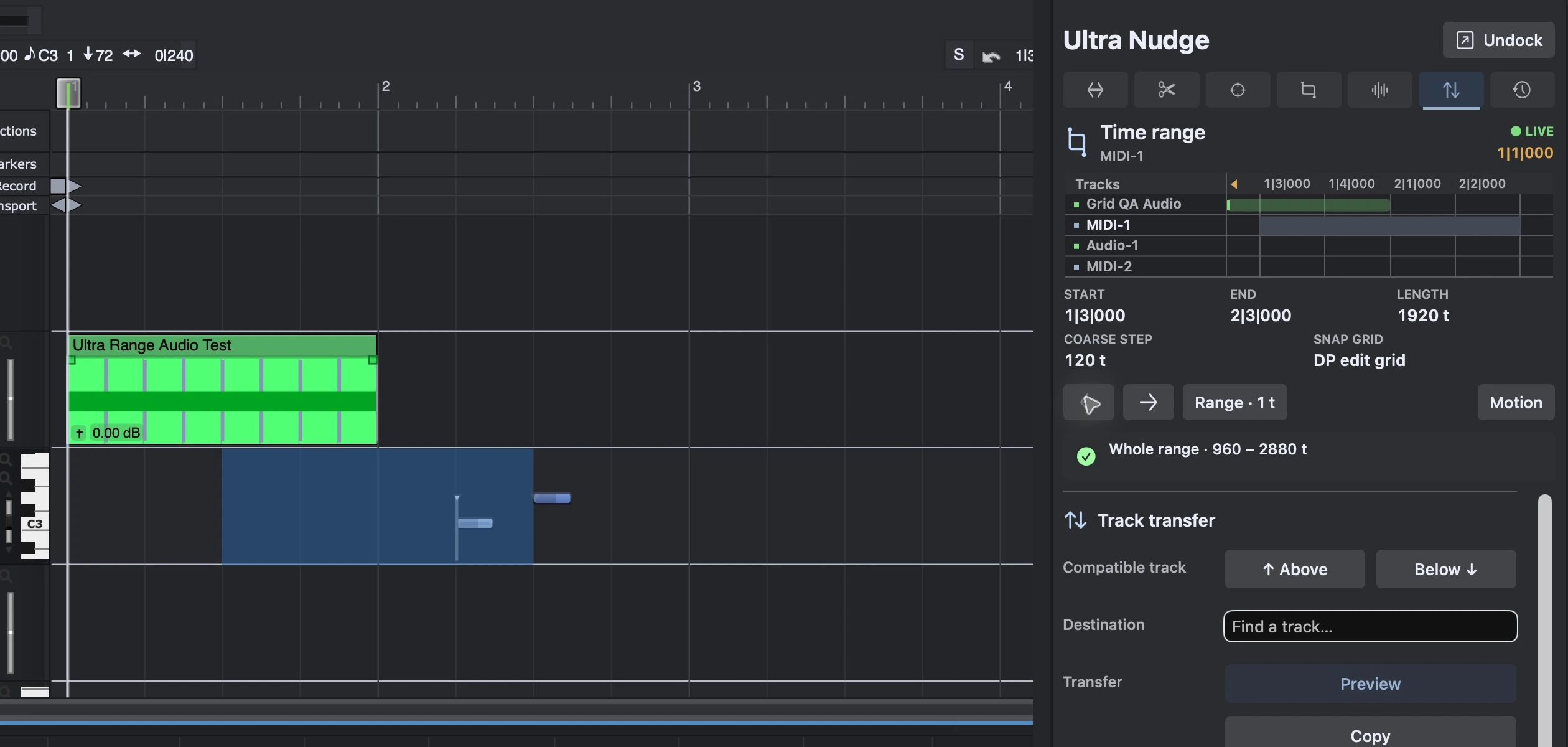 Try keyboard commandsType or click to see what each key does
01 / MOTION KEYS
Enter a command with the keys below.
The explanation updates after each key.
EXPLANATION Ready to run
3 × 1/64 note (30 ticks) = 90 ticks
Click Run command to try an example. To enter your own, click Clear and type, or click the keys below. The last direction key runs the command.
Full command listBrowser demo with sample data.
The app uses your selection in DP.
Move the range start 90 ticks earlier.
Preview: start 960 → 870. The notes stay in place.
Backspace edits · Esc clears · . repeats the last move
MORE COMMANDS IN DP
The app also has commands for notes, audio, snapping and edit previews.
n m s lRaise notes one semitone i q lPreview a Split & Move g s eSnap drags to event edges 02 / APP RECORDINGS
Range editing, note filters
and keyboard commands.
Move the start 90 ticks earlier, then restore the range.
Preview a pitch rule, then select the matching note.
Move two notes a quarter note later, then undo.
Recorded in DP 12.0.1 with Ultra Nudge 0.46. Each clip starts with the DP window, then shows the docked panel close up.
03 / INSIDE DP
Ultra Nudge docks in DP’s sidebar beside the Sequence Editor.
The panel shows your current selection. Its colors follow DP’s theme.
Setup instructions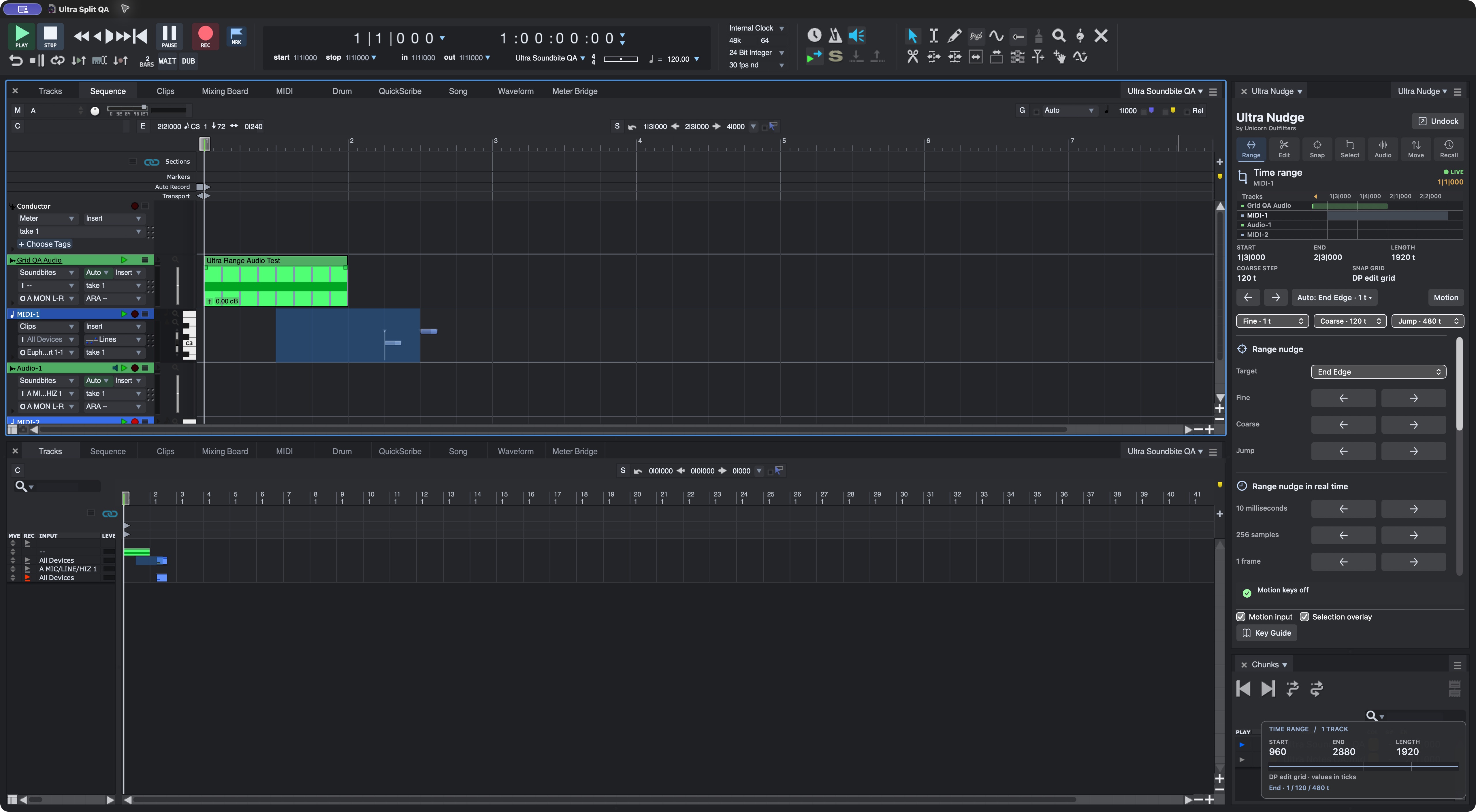
04 / REFERENCE
Setup instructions, keyboard commands and worked examples.
MAC BUILD
Apple Silicon Mac.
Digital Performer 12.0.1, build 102741.
The driver checks DP’s executable before enabling edits. Use DP’s About window to check the build.
The native driver and standalone palette. Ultra Nudge can live in DP’s docking layout or open as a separate window. The control reference shows the tools.
Yes. The Mac build uses its native Ultra Nudge driver for editing and selection readback.
Open Motion Keys and type or click the keys shown in the guide. Escape clears the command; press it again to exit. The entry-key chooser checks for DP shortcuts.
Windows support is in development. The available build is for Apple Silicon Macs.
Some mouse gestures and compound edits still need testing. See Limits and terms for the current limits.
GET ULTRA NUDGE
Send your request by email. You’ll receive the invoice and payment instructions in reply.
For Apple Silicon DP 12.0.1.
Build 102741.